How to Search Open Tabs in Firefox

Imagine this. You are in a situation where you have too many open tabs and you’re unable to find the one you want. And, you are most likely frustrated. Maybe you don’t have to imagine this scenario, because you are living it. But worry not, we will show you step by step guide on how to search open tabs in Firefox.
Use Firefox’s built-in tab search to find the tab you need.
- Click on a chevron/down arrow icon in the top right corner of the Firefox window. When you hover over the icon the tooltip will show “List all tabs”.
- Click on the “Search tabs” option. Firefox search bar will be in focus with a prefix “Tabs”.
- Start typing the title of the page you are looking for.
- Use the tab key on your keyboard to navigate through the results. You can also use shift + tab to go through results in reverse order.
- Use the enter key to focus on the page you selected.
Naturally, it is easier to follow the steps by looking at a visual guide. The following part explains how to use Firefox's built-in tab search functionality using pictures.
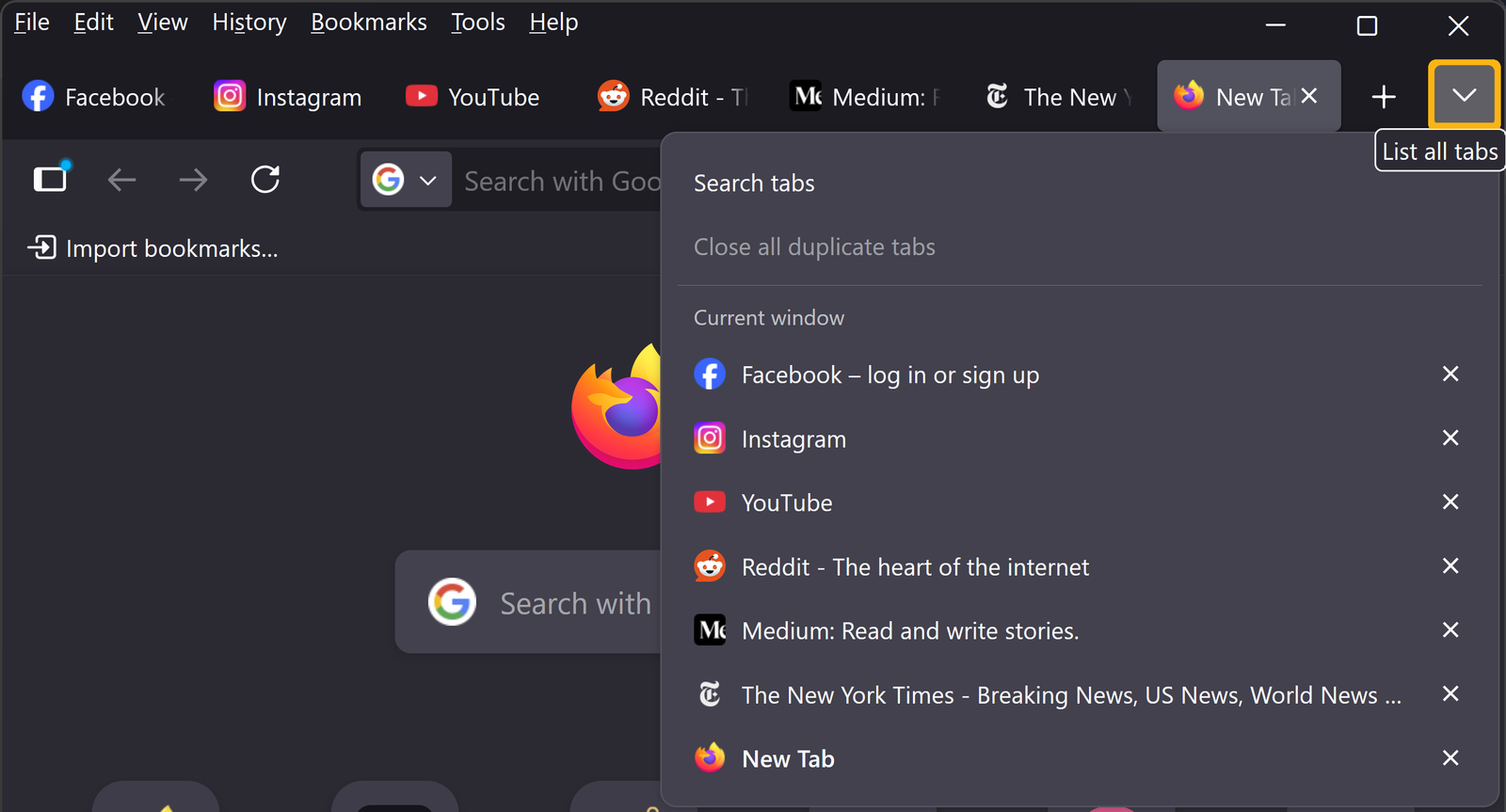 Step 1 - Click on "List all tabs" chevron icon
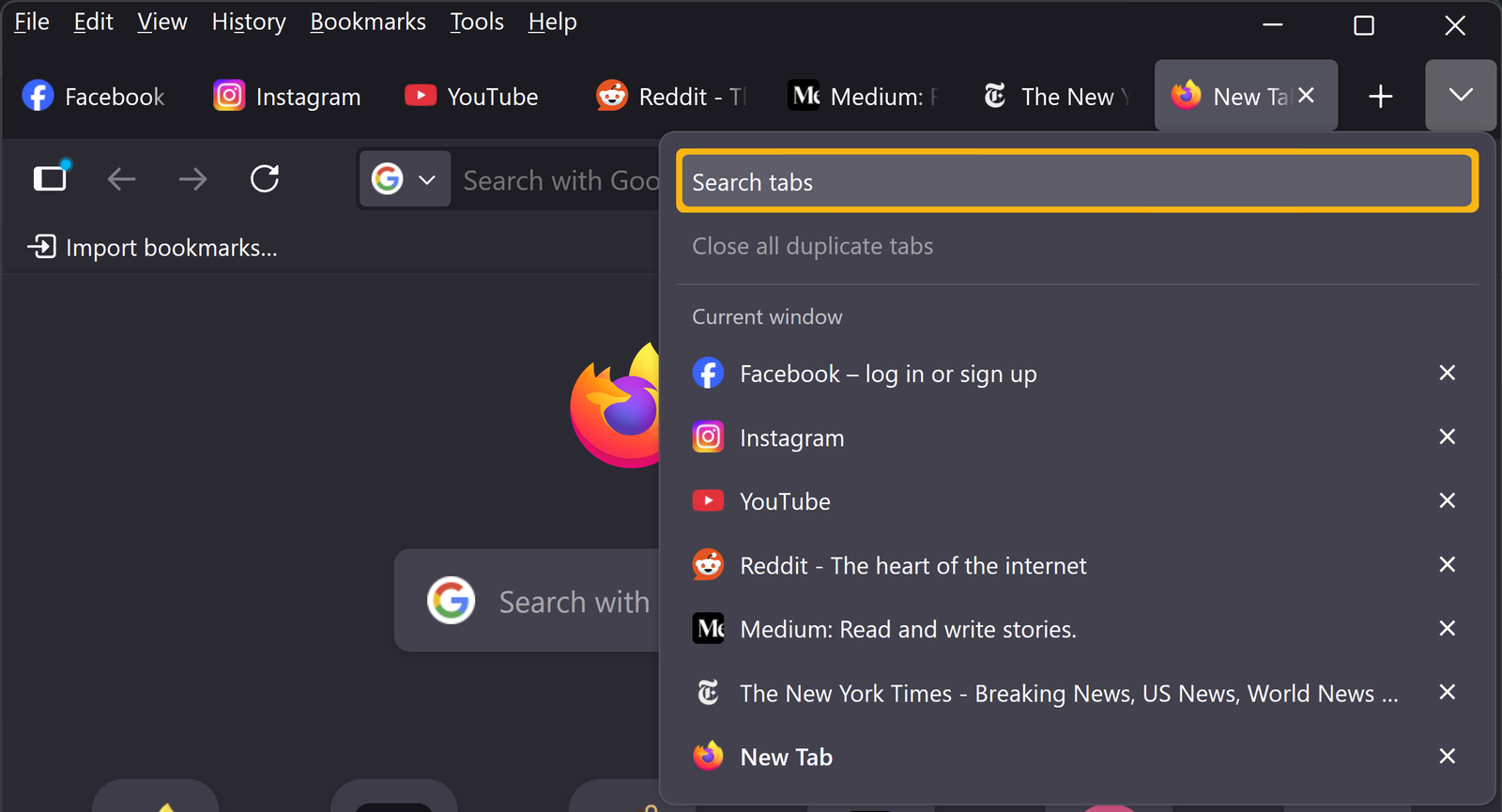 Step 2 - Select "Search tabs" option
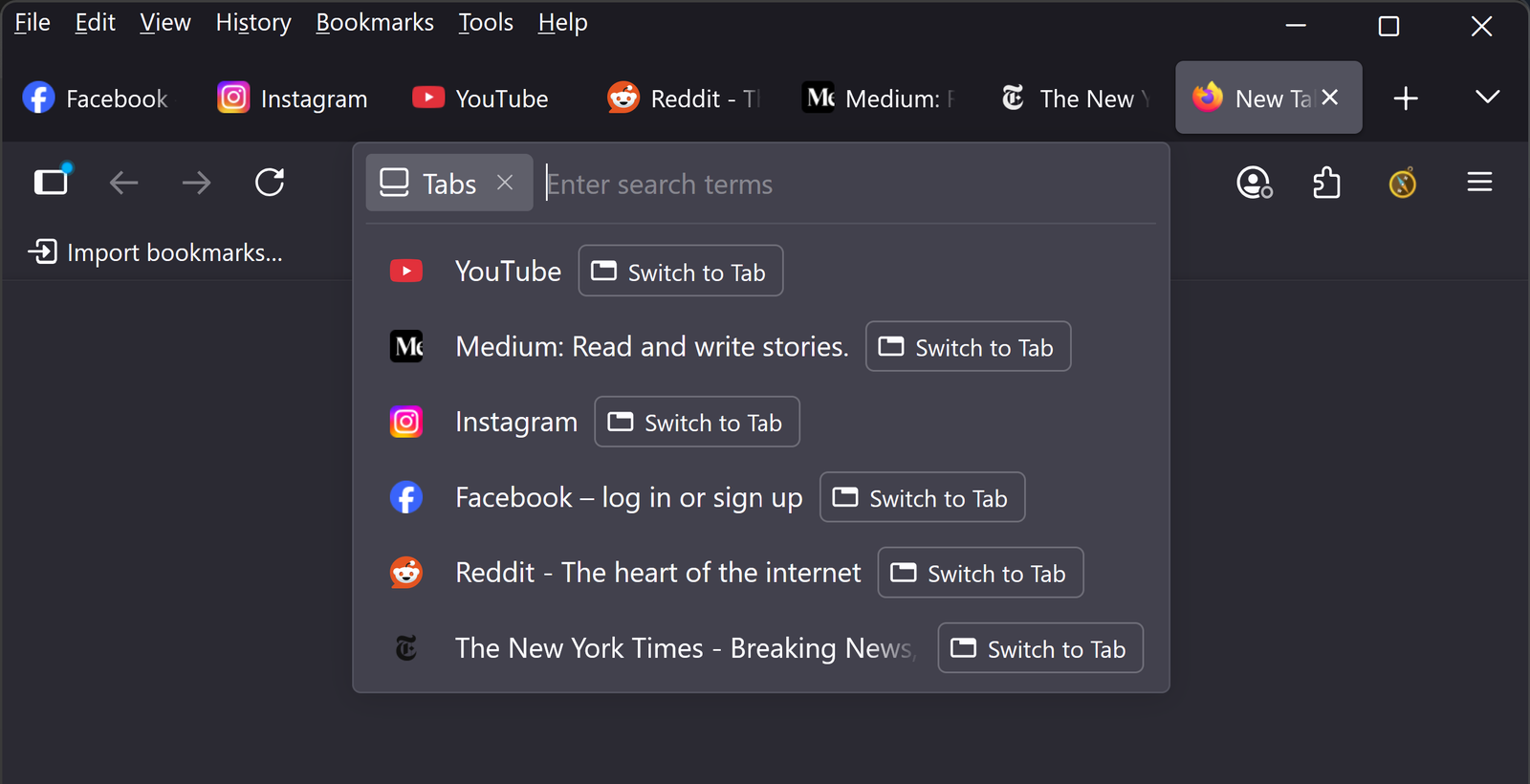 Step 3 - Search bar with "Tabs" prefix is automatically focused
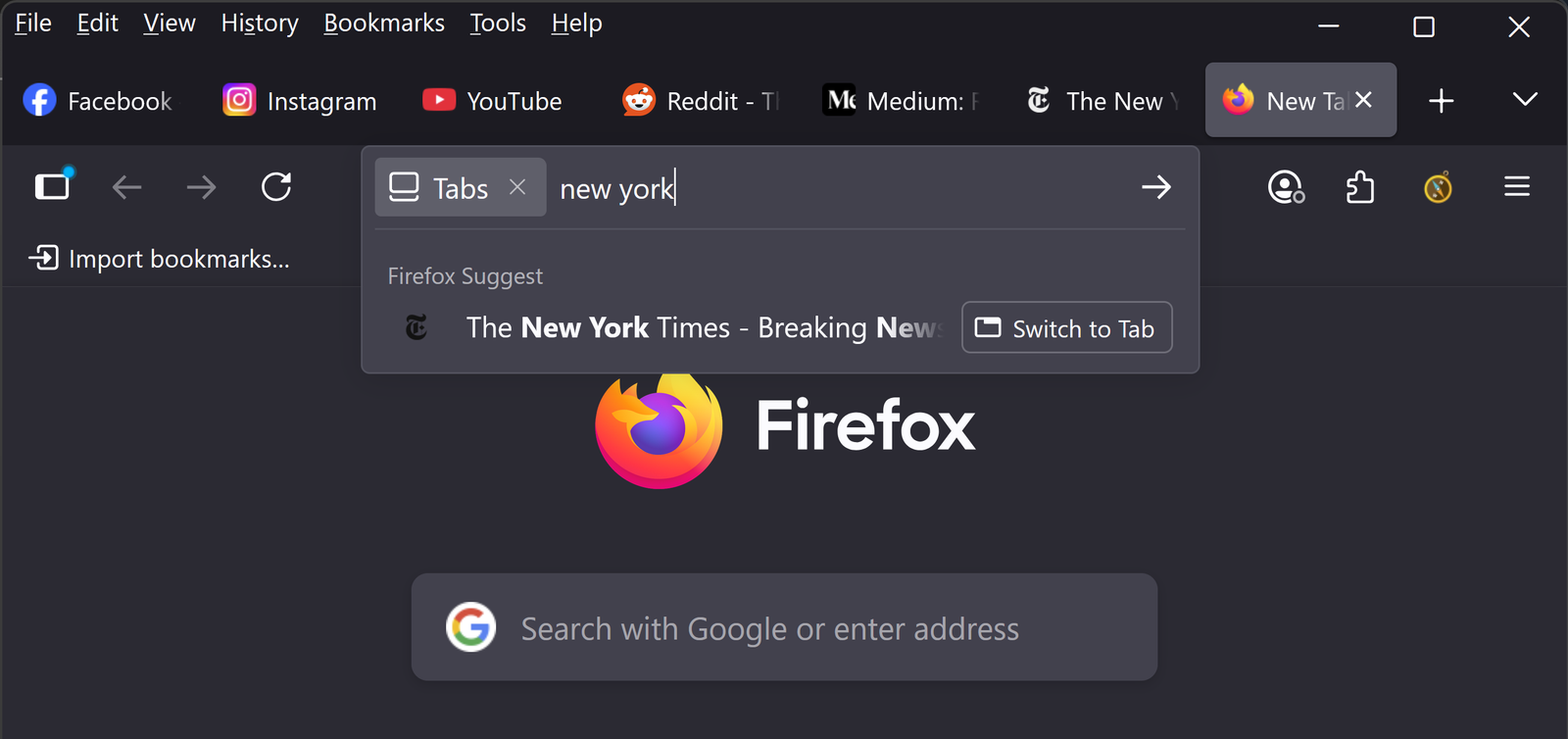 Step 4 - Start typing...
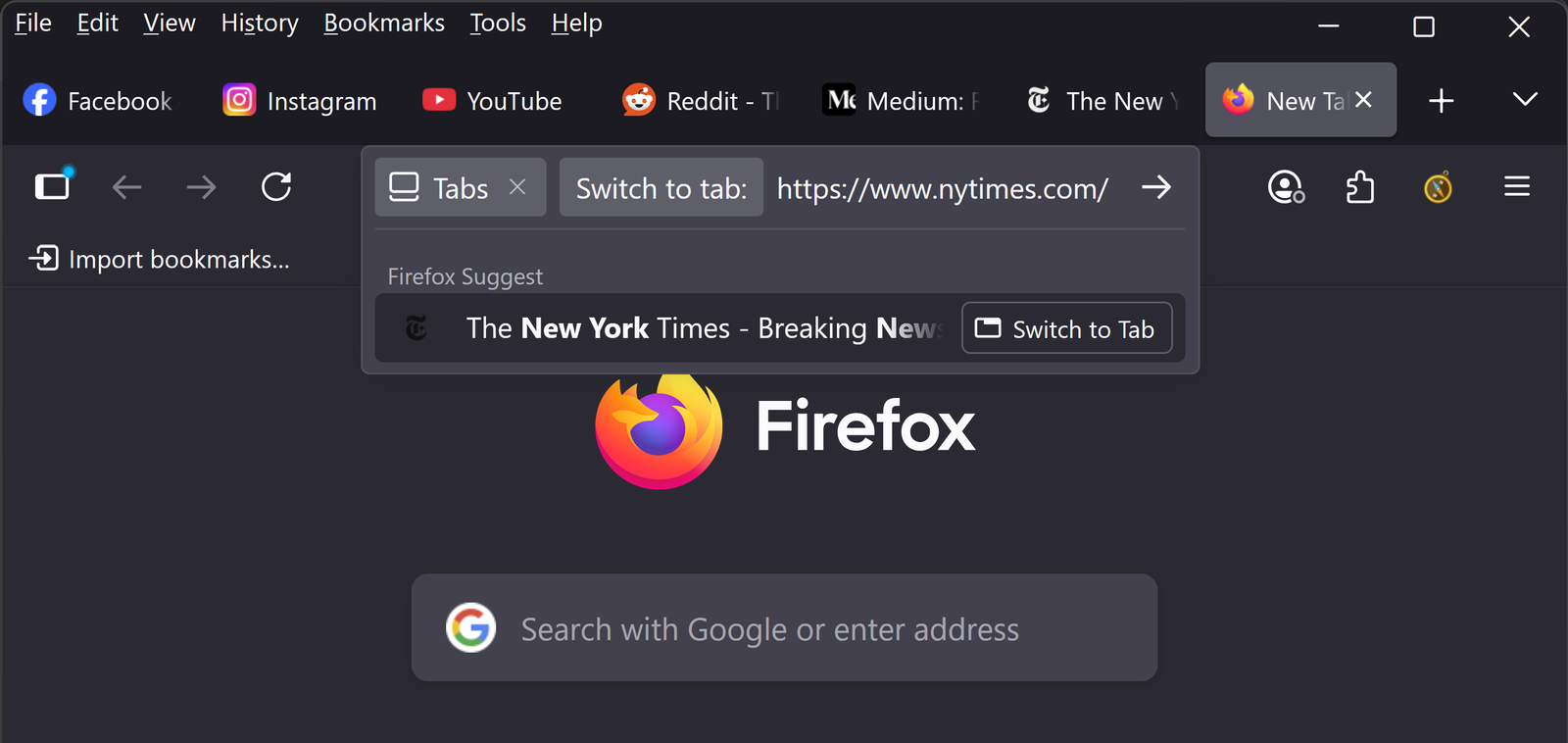 Step 5 - Use tab to select the page and enter to switch to it
It is unfortunate that you cannot set a shortcut to go into tab search mode, though you can put % sign before or after your search keyword to go into tab search mode. But this just doesn't feel intuitive. Also, navigating through results can feel really slow at times. Fortunately, there are other options that can replace Firefox's built-in tab search.
Use a browser extension, like Tab Seeker, that gives you more search controls than built-in tab search. Such as the ability to search by page URLs or page titles or both. It also gives users the ability to search open tabs using the keyboard only.
Install the extension:
- Add extension to Firefox: https://addons.mozilla.org/firefox/addon/tab-seeker/
- Pin the extension (optional)
- Set shortcut to open the extension (optional but highly recommended)
How to use the extension:
- Use the shortcut to open the Tab Seeker search popup. If you did not want to set a shortcut to open the extension, click on the Tab Seeker icon in top right corner of the Firefox window.
- Start typing…
- Use the tab key to navigate through the results.
- Focus on the selected page with the enter key.
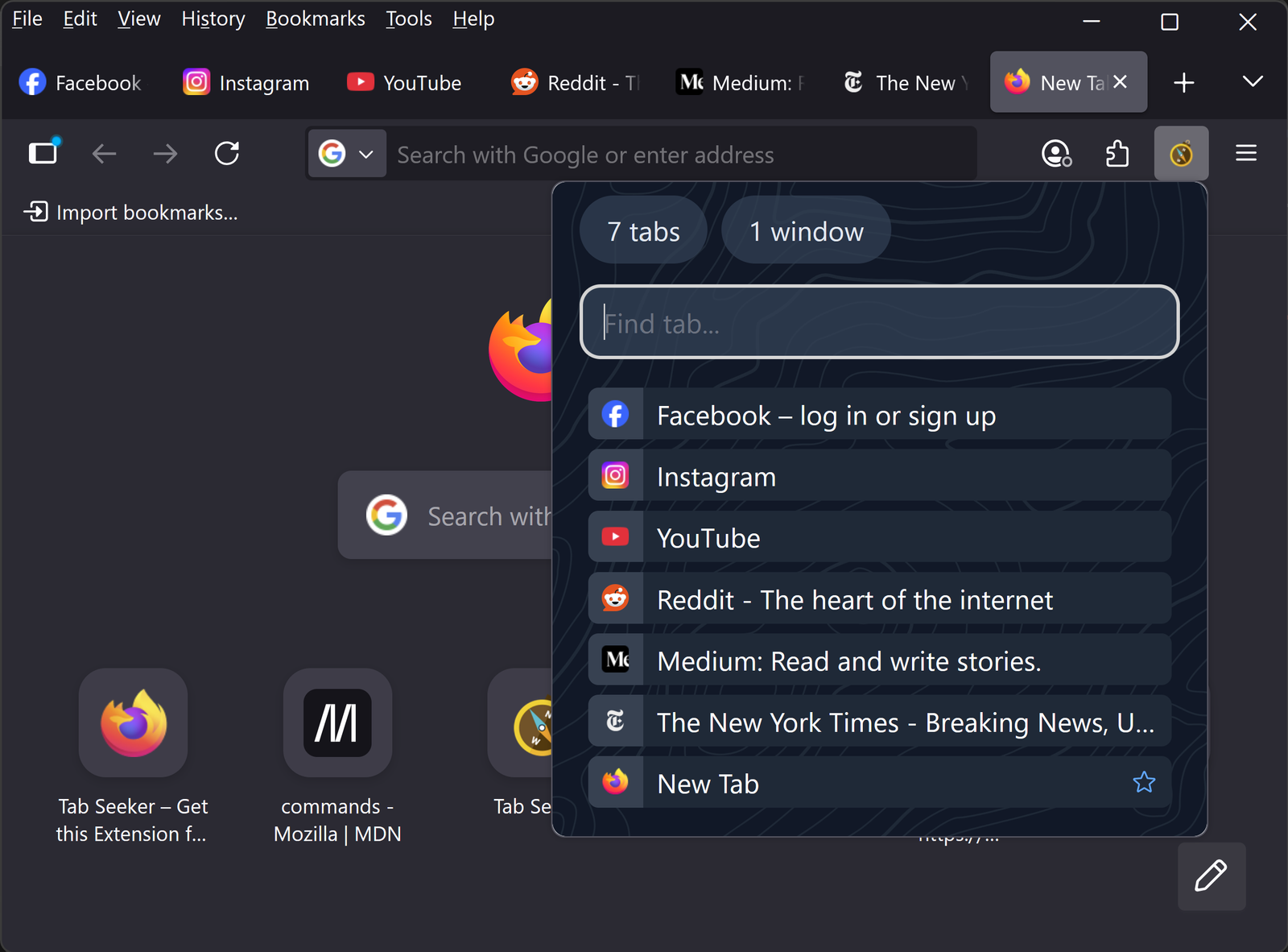 Step 1 - Open the Tab Seeker extension
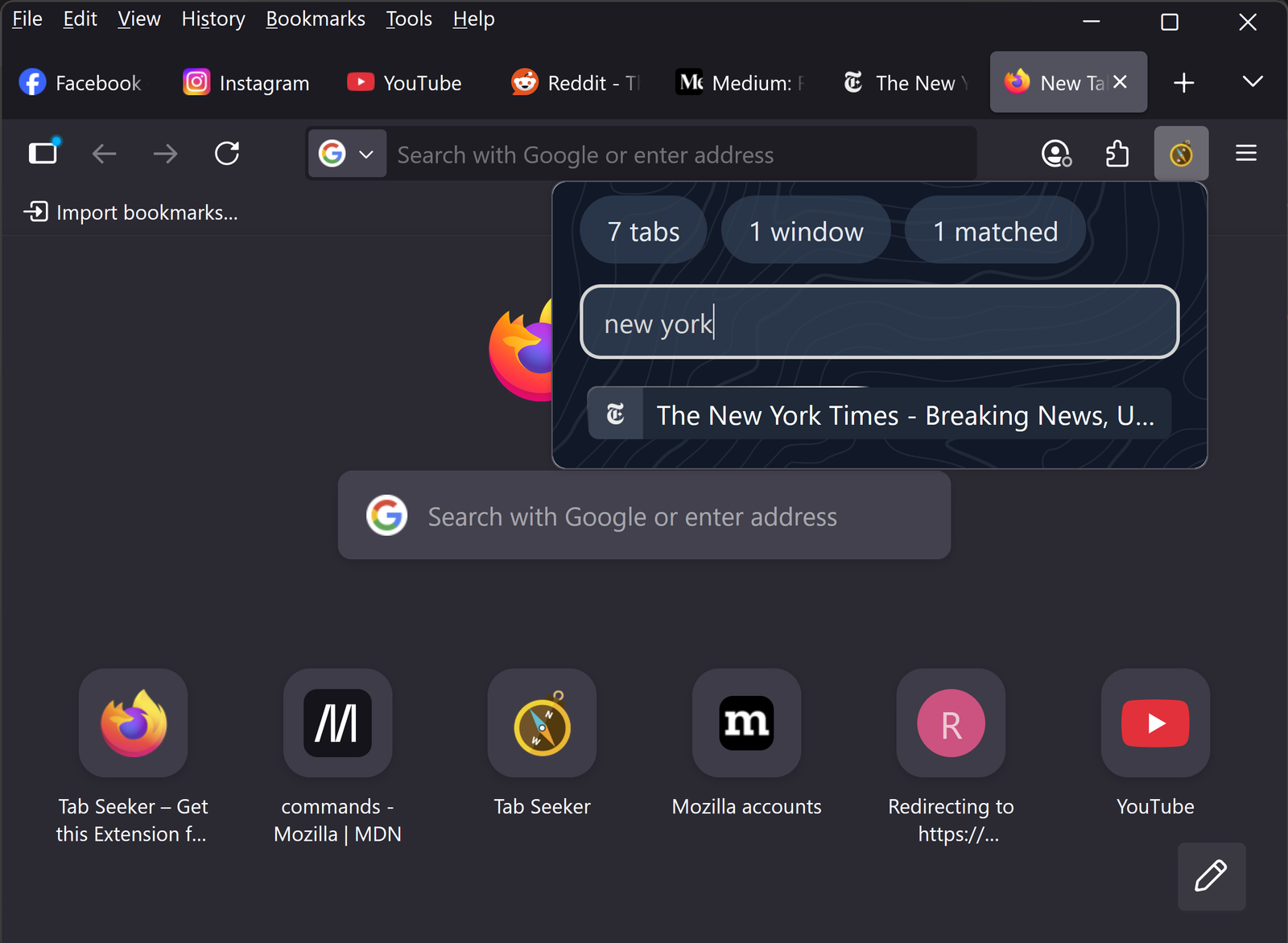 Step 2 - Start typing...
The real power comes in the ability to customize your tab searching experience. You can change not only how the extension looks, but how it feels as well. And all of this can be configured on the Tab Seeker Options page.
Choose a theme, toggle features on or off or simply customize the way tab search works. You can shape your tab searching experience the way you want to with Tab Seeker. There are many useful features hidden in there. Take a look at the quick selection feature, it might just change the way you browse forever.
It does not matter if you are a power user or just a regular Joe. Searching for open tabs in Firefox has never been easier with Tab Seeker extension. Try it and see how it can help you save time and keep focus while browsing the Internet.